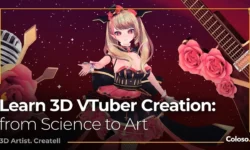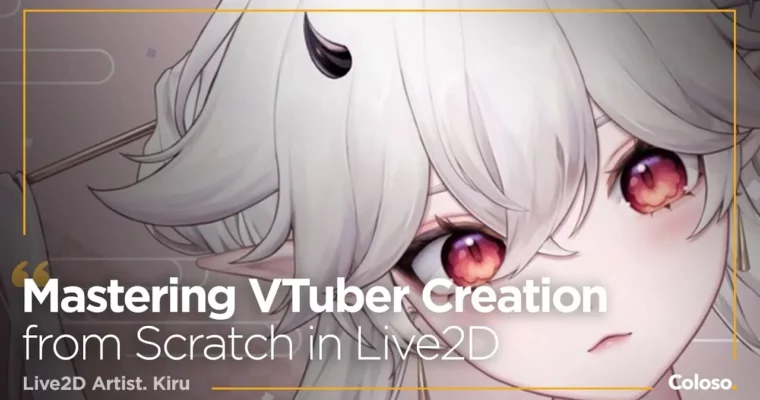
Mastering VTuber Creation from Scratch in Live2D by Kiru

Duration:23Hours 38Minutes
Actual Duration:24h 43m
Release date:2024, February
Publisher:Coloso
Skill level:Beginner
Language:English
Exercise files:Yes
Software:Live2D Cubism, Photoshop, VTube Studio
Course URL:https://coloso.global/en/products/live2dartist-kiru-us
This is a full start-to-finish VTuber build. Kiru takes you from a rough character idea to a fully rigged, lively model you can load into VTube Studio and stream with the same day.
🎯 What you’ll learn
- VTuber illustration guidelines – canvas setup, layer separation, naming, and shading for rigging
- Live2D Cubism basics – meshes, deformers, parameters, draw order, and clipping
- Expressive eye, brow, and mouth rigging without relying on toggles
- Head and body angles XY with natural 3D-like turns and no papery look
- Physics setup for hair, clothes, body bounce, and animal ears
- Expression toggles, animated poses, and VTube Studio export and hotkeys
- Cleanup, optimization, and freelance commission workflow for Live2D riggers
✅ Requirements
- Skills: Basic digital drawing skills, familiarity with Photoshop or similar paint software
- Tools: Photoshop or Clip Studio Paint / SAI for PSD export, Live2D Cubism 5.0, VTube Studio
- Hardware: PC or Mac capable of running Live2D Cubism, drawing tablet recommended
📝 Description
If you have ever opened Live2D Cubism and closed it again after ten minutes, this class fixes that. Kiru teaches the whole chain in order — idea, sketch, clean PSD, rig, physics, test in VTube Studio — so you always know why you are clicking what you are clicking.
The illustration part is super practical. You will set up your canvas right, keep layer separation smart instead of splitting everything into 200 parts, and fix the stuff that breaks rigs later. That includes naming, underfills, hair shading that still reads as 3D when it moves, and a final PSD check before you ever touch Live2D.
Then comes the rig. You start with meshes, deformers, and parameters, build expressive eyes, brows, and mouth, and learn how deformer hierarchy keeps everything clean. Kiru shows how to keep the character on-model in head X, Y, Z turns, how to stop hair from floating, and how to add body XY and subtle Z movement so it does not look stiff.
Last part is where it gets fun: physics for bounce, sway, and drag, plus toggles for expressions and a simple animated pose. You will export via texture atlas, bring it into VTube Studio, set hotkeys, tune face tracking, and polish for OBS with less lag. You also get Kiru’s real files — speedpaint, brushes, custom actions, base parameters, and a ready-to-rig PSD — so you can follow along even if you skip drawing your own.
🧑🎓 Who this course is for
- Illustrators who want to rig their own VTuber model instead of outsourcing it
- VTuber fans and aspiring riggers who want a freelance-ready workflow and commission tips
- Intermediate Live2D users who want tidier, faster, more expressive rigs
🧑🏫 About the Author
Kiru, also known as Kiruse, is a full-time freelance illustrator and Live2D rigger working in anime-style 2D. She trained in 3D animation, then switched back to what she actually loved — cute, plushy 2D characters that move well on stream.
She has collaborated with over 30+ indie VTubers, won the Live2D Buzz Creator Award, and now takes commissions full-time. Her teaching style is direct and efficient: less theory, more “here’s what breaks, here’s how to fix it, here’s how to work faster.”
🏁 Final Result
- A fully rigged, physics-driven VTuber model with head and body angles, expressions, and toggles, ready to import into VTube Studio and use for livestreaming
📢 Guys, this is a Group Buy campaign, check the GBC forum thread to get access
You can find the course preview in the download section below.
 Channel