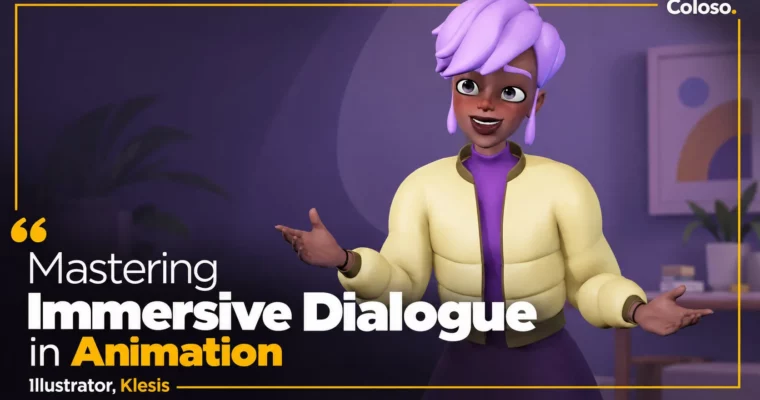
Mastering Immersive Dialogue in Animation by Klesis

Duration:37 Hours 2 Minutes
Actual Duration:74h 2m
Release date:2025, July 11
Publisher:Coloso
Skill level:Advanced
Language:English
Exercise files:Yes
Software:Maya, SyncSketch
Course URL:https://coloso.global/en/products/3danimator-klesis-us
If your dialogue shots look okay but feel empty, this course fixes that. Klesis walks you through how to build emotional acting, lip sync, and full-body performance in Maya so your characters stop reciting lines and start thinking on screen.
🎯 What you’ll learn
- How emotional acting works — cognition, subtext, and nonverbal communication
- How to perform joy, sadness, anger, and surprise without clichés
- Mouth shapes and lip sync timing that actually match dialogue
- How to pick references, analyze subtext, and plan thumbnails
- Blocking in step mode, then spline, polish, and spacing in the Graph Editor
- Blinks, eye darts, finger offsets, and moving holds for lifelike detail
- Full production workflow from layout to final check in SyncSketch
- Lighting setup for clean, professional preview renders
✅ Requirements
- Skills: Basic understanding of Maya navigation and keyframe animation, familiarity with animation principles
- Tools: Maya 2023, SyncSketch for review, media player for reference analysis
- Hardware: PC capable of running Maya 2023 smoothly, 3-button mouse
📝 Description
This isn’t theory-only acting talk. Klesis starts with how characters think — cognition flow, subtext, and nonverbal communication — then makes you apply it right away on rigs. You get why a sad character first holds back tears, then gets defensive, then gives up. That progression is what sells the shot.
Then you drill the four big ones: joy, sadness, anger, surprise. Not just happy/sad faces. You work through joy turning into delight, anger heating into excitement, sorrow sliding into despair. Lots of short exercises on eye darts, pupil shifts, hand trembles, eyebrow and eyelid coordination, and finger offsets. Small stuff that kills the robotic CG feel.
The second half is one full dialogue shot, start to finish. You pick audio and references, break down thumbnails, plan key poses in layout, block in step mode, convert to spline, and polish with the Graph Editor and spacing checks. After that comes blink, eye dart, and two passes of lip sync, plus a final review pass in SyncSketch like studios do. You also get Klesis’s Maya key settings, practice scene files, and curated reference images.
What I like here: it’s very production-minded. No skipping steps. You see pre-production, main production, and post-production as separate jobs, including lighting setup for a clean preview. If you want portfolio pieces that show you can act, not just move a rig, this workflow gives you exactly that.
🧑🎓 Who this course is for
- 3D animators who can move a rig but struggle to make dialogue feel alive
- Students and juniors who want a portfolio-ready acting shot with proper workflow
- Maya animators who want to get better at emotional shifts, lip sync, and polish
🧑🏫 About the Author
Klesis is a working 3D animator from Korea with credits across TV series and features. You have probably seen his work without knowing it — Yumi’s Cells Season 2, Larva Season 5, Pororo Movie: Super Star Adventure, Tayo the Little Bus Season 5, and Catch! Teenieping.
He has also worked on Dinoster, DinoCore, Super Wings, Tobot V, Mini Force, Jurassic Cops, and more. His thing is performance: facial acting, dialogue timing, and body language that connects with viewers. In this class he teaches the same way he works — practical, shot-based, and focused on emotion first, curves second.
🏁 Final Result
- A polished, portfolio-ready dialogue animation shot with full emotional performance, accurate lip sync, and clean preview lighting — built through layout, blocking, spline, and polish.
📢 Guys, this is a Group Buy campaign, check the GBC forum thread to get access
You can find the course preview in the download section below.
 Channel