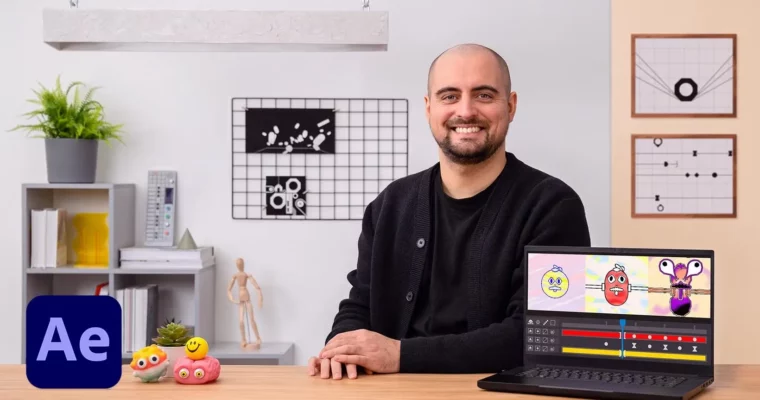
Design and Animation of Playful Supercuts in After Effects by Santiago Avila

Actual Duration:5h 22m
Release date:2022, May
Publisher:Domestika
Skill level:Intermediate
Language:English
Exercise files:Yes
Software:After Effects, Adobe Illustrator
Course URL:https://www.domestika.org/en/courses/3935-design-and-animation-of-playful-supercuts-in-after-effects
This course is all about breaking out of the standard clean vector look and getting your hands dirty with procedural animation techniques. Santiago Avila, a motion designer who’s worked with Nike, MTV, and Spotify, walks you through building a supercut animation in After Effects from scratch. You’ll learn how to make your animations feel organic, textured, and almost handmade—using tools you already have in the software.
The focus is on experimentation. You’ll explore brush strokes, ink effects, airbrush looks, and old-school halftone patterns, all generated procedurally. By the end, you’ll have a dynamic, polished animation that stands out from the typical flat motion graphics crowd.
🎯 What you’ll learn
- Create fully-procedural animations using noise-based tools in After Effects
- Design a main character or object in Illustrator and import it into After Effects
- Animate shape layers with playful, organic motion
- Apply brush-stroke, ink, airbrush, and halftone effects to your animation
- Composite, edit, and export a finished supercut animation
✅ Requirements
- Skills: Working understanding of 2D design in After Effects
- Tools: Access to After Effects and Illustrator (or similar vector software)
📝 Description
Santiago Avila doesn’t do boring. His approach to motion graphics is all about building a broad visual toolkit and then using it to create work that feels alive. In this course, he shares the exact techniques he uses to make animations that look like they were made by hand—not just dragged out of a template.
The course is structured around a single project: a supercut animation of an object with an organic feel and dynamic pacing. You’ll start by designing your main character in Illustrator, then bring it into After Effects and start experimenting. Santiago shows you how to use shape layers, noise effects, and procedural tools to generate three distinct styles: a brush-stroke and ink look, an airbrush effect, and a halftone pattern that feels straight out of old-school print.
What makes this course stand out is the emphasis on process over presets. You’re not just following steps—you’re learning how to think about animation in a more experimental way. Santiago’s background working with major brands and musicians means he knows what actually works in the real world, and he’s not afraid to share the tricks that make his work pop.
🧑🎓 Who this course is for
- Motion designers and animators looking to expand their visual style
- After Effects users who want to move beyond standard vector animation
- Anyone interested in procedural and experimental animation techniques
🧑🏫 About the Author
Santiago Avila is a motion and graphic designer based in the UK. He’s built a career working with high-profile clients like Nike, MTV, Spotify, and Netflix, as well as musicians like Disclosure, Kylie Minogue, and London Grammar. His work combines traditional design principles with cutting-edge animation techniques, resulting in playful, versatile creations that stand out in the crowded motion graphics space. His experience as a freelancer gives him a practical, no-nonsense approach to teaching—he focuses on what actually works in a professional pipeline.
🏁 Final Result
- A finished supercut animation of an object with an organic, handmade feel
- A portfolio-ready piece showcasing three different experimental styles: brush-stroke, airbrush, and halftone
- A deeper understanding of procedural animation techniques in After Effects that you can apply to future projects
 Channel