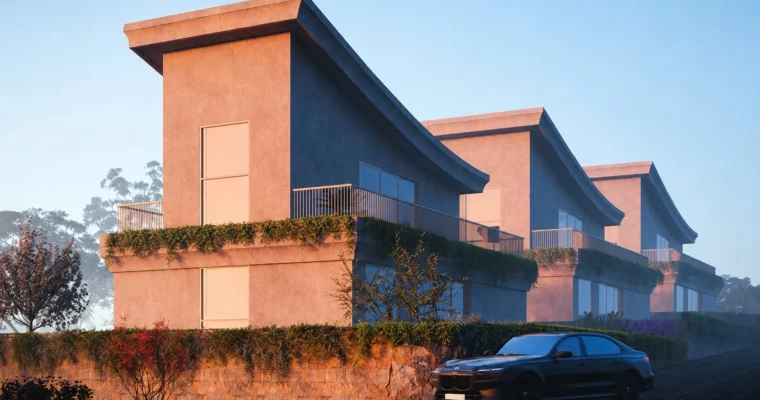
Lumion Architectural Animation (English) by Fathi̇l Shakoor

Duration:12 hours on-demand video
Actual Duration:12h 10m
Release date:2025, February
Publisher:Udemy
Skill level:Intermediate
Language:English
Exercise files:Yes
Software:Lumion, 3ds Max, Adobe Photoshop, Adobe After Effects, Adobe Premiere Pro, SketchUp, Unreal Engine
Course URL:https://www.udemy.com/course/lumion-2024-archviz-english/
This course is a straight-up, no-fluff guide to making architectural animations that actually look like movie trailers. If you already know your way around Lumion and 3ds Max, this is where you learn to push your renders into full-blown cinematic sequences.
🎯 What you’ll learn
- Create custom model animations for doors, windows, and other elements
- Set up scene composition and atmosphere for maximum visual impact
- Apply advanced lighting techniques for realistic results
- Build smooth, cinematic camera movements
- Configure rendering settings for high-quality final output
✅ Requirements
- Skills: Intermediate knowledge of Lumion, 3ds Max, Adobe Photoshop, Adobe After Effects, and Adobe Premiere Pro. Some familiarity with SketchUp and Unreal Engine is recommended but not required.
- Tools: 3-button mouse, drawing tablet recommended for material work.
- Hardware: Minimum 16GB RAM, dedicated GPU with at least 4GB VRAM.
📝 Description
This isn’t a “press play and” kind of course. Fathi̇l Shakoor walks you through his actual production pipeline, starting with storyboarding and model prep. You’ll learn how to break down a 3D model into manageable parts for animation, then move into camera choreography—setting up shots that guide the viewer’s eye through the space.
The material and lighting sections are where things get interesting. You’ll spend over two hours just on material setup, learning how to tweak surfaces for realism under different lighting conditions. The lighting module itself is over an hour, covering how to set up natural and artificial light to create mood and depth.
What sets this course apart is the focus on animated elements. You’ll learn to animate cars, doors, and even integrate green screen footage into your scenes. The final editing module shows you how to stitch everything together in Adobe Premiere Pro for a polished, professional result.
🧑🎓 Who this course is for
- Architects and interior designers who want to present their projects with cinematic animations
- Visualization artists looking to move beyond static renders
- Intermediate Lumion users ready to tackle complex animation workflows
🧑🏫 About the Author
Fathi̇l Shakoor is a 3D Architectural Visualizer with over 12 years of experience. He specializes in SketchUp, V-Ray, Lumion, and Unreal Engine, creating high-quality interior and exterior visualizations. His teaching style is practical and direct, focusing on real-world workflows rather than theory.
🏁 Final Result
- A complete cinematic animation sequence of an architectural project, including custom model animations, dynamic camera movements, and polished post-production editing.
 Channel