It looks like you're using an adblocker.
Adblockers make us sad. We use ads to keep our content happy and free. If you like what we are doing please consider supporting us by whitelisting our website. You can report badly-behaved ads by clicking/tapping the nearby 'Advertisement' X text.
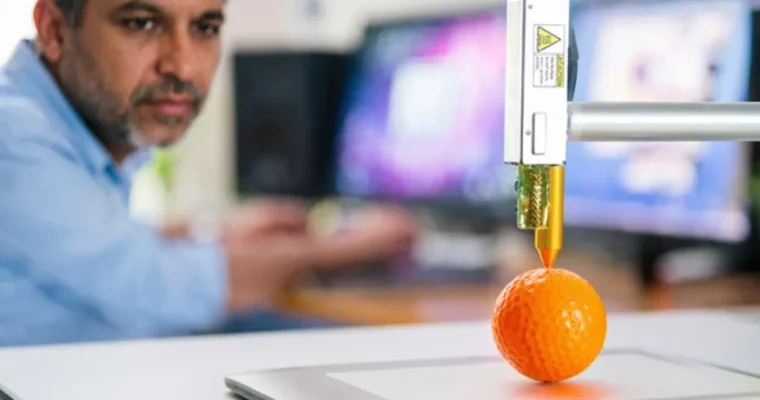
3D Printing from Zero to Hero in Blender – FDM & MSLA by Thomas McDonald
Master 3D modeling, slicing, and printing with FDM and MSLA technologies using the free Blender software.
Ready to turn your digital ideas into physical reality? This course is your ultimate guide to mastering 3D modeling and 3D printing using the powerful, free software Blender. Whether you’re a complete beginner or looking to refine your skills, you’ll learn everything from designing your first model to slicing and printing with both FDM and MSLA technologies. Get ready to bring your creations to life!
🎯 What you’ll learn
Design and 3D print successfully from scratch with confidence.
Discover free resources for high-quality 3D printing assets.
Prepare models for printing by exporting STL files.
Control print details by slicing and generating G-Code.
Create impressive 3D models quickly and efficiently.
Turn photos into printable 3D models using photo scanning techniques.
Operate FDM and MSLA printers with ease.
Utilize Shapeways for cost-effective model printing.
Troubleshoot and perfect your prints, all within Blender.
✅ Requirements
A computer capable of running Blender (free and open-source).
A three-button mouse (recommended for smoother navigation).
No prior Blender experience required – we start from the basics!
📝 Description
Welcome to the ultimate 3D printing course using Blender! This comprehensive program is designed to take you from absolute beginner to a confident creator, covering everything you need to know about 3D modeling and printing with both FDM and MSLA technologies. You’ll learn practical techniques for designing, modeling, and slicing your own unique models, ensuring successful prints every time. We dive deep into troubleshooting common issues and leverage free and open-source tools like Blender and FreeCAD, making this an accessible and powerful learning experience.
This course is project-based, focusing on real-world application. You’ll work through detailed video tutorials, learning to avoid common pitfalls and perfect your prints. We cover essential topics like wall thickness, STL file export, slicing, G-code generation, and even using services like Shapeways. You’ll also explore advanced techniques such as photo scanning for 3D reconstruction and preparing imported models for printing.
We’ll explore a variety of powerful tools and modifiers within Blender, including the 3D Print Toolbox add-on, MeasureIt, Bolt factory, Screw modifier, Wireframe modifier, Boolean modifier, and more. You’ll also get hands-on experience with other software like Meshroom for 3D reconstruction and FreeCAD for alternative modeling approaches. The course includes numerous projects, from simple door grips and vases to complex phone cases and retopologized models, all designed to build your skills and confidence.
🧑🎓 Who this course is for:
Beginners eager to design and print their own unique models.
Students seeking a fast, no-nonsense path from zero to expert.
Designers who want to iterate quickly and bring ideas to life.
Architects needing physical models for clients.
3D Printer Owners craving a clear, actionable guide.
Blender Users ready to print their digital creations.
Hobbyists without a printer – learn to design and use print services!
Professionals looking for a free, powerful design tool.
Students who want to learn a free design package for their own professional use.
Anyone passionate about mastering Blender and 3D printing.
🧑🏫 About the Author
Thomas McDonald is a 3D designer, Python automation specialist, and dedicated Udemy instructor based in Ireland. He’s passionate about technology and empowering creativity. With expertise in 3D CAD, Blender, and Python scripting, he develops automation tools and uses Blender Python to streamline complex design workflows. Through his engaging Udemy courses, Thomas teaches 3D software and techniques, guiding students to transform their creative ideas into stunning realities. With 12 years of experience in design and technology, he’s committed to sharing innovative tools and insights to inspire learners worldwide.
🏁 Final Result
You will be able to confidently design, model, slice, and 3D print your own unique objects using Blender, creating a portfolio of diverse projects like phone stands, vases, coins, and even 3D reconstructions.
Curriculum
📋 Course content
Introduction
Introduction3:40
3D Printing Common Terms1:32
Get the Free and Open Source Software Blender & the Installation Process4:45




 Channel



Oh, sir, since you’re back, can you add two old Blender courses? Previously, it didn’t go well because of that. So can you do this time, please?
website: https://coloso.global/en/products/3dcgcreator-jp-k-us (3DCG Creator, Jp-K)
and
Website: https://coloso.global/en/products/3dcgcreator-ocowa-us (3DCG Creator, Ocowa)