It looks like you're using an adblocker.
Adblockers make us sad. We use ads to keep our content happy and free. If you like what we are doing please consider supporting us by whitelisting our website. You can report badly-behaved ads by clicking/tapping the nearby 'Advertisement' X text.
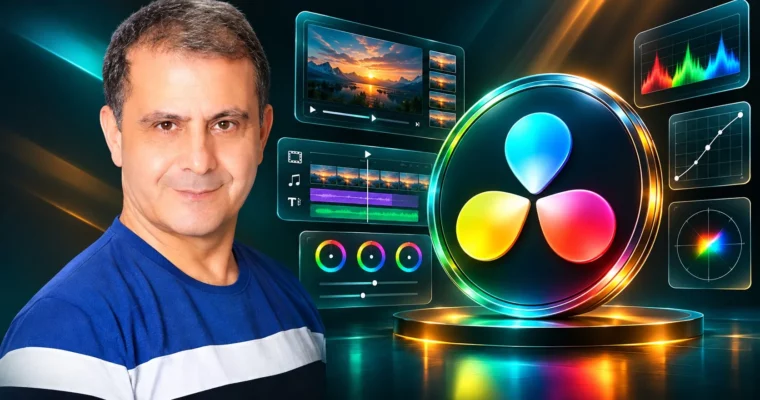
DaVinci Resolve Mastery – The Complete Video Editing Bootcamp by Louay Zambarakji
Go from zero to finished, client-ready videos in DaVinci Resolve — edit, grade, add effects, and mix audio all in one free app.
If you want to stop hopping between apps and just finish good-looking videos, this is the shortcut. You will learn DaVinci Resolve end to end — fast cutting, color grading, titles, Fusion effects, and audio — using real project files so you are editing from minute one.
🎯 What you’ll learn
Download, install, and set up DaVinci Resolve correctly
Navigate the Media, Cut, Edit, Fusion, Color, Fairlight, and Deliver pages
Cut fast on the Cut Page with Smart Insert, ripple, trim, and blade tools
Build story edits on the Edit Page with 3-point editing, J-cuts, and L-cuts
Edit vertical video for YouTube Shorts, TikTok, and Reels
Record clean voice-overs directly in the timeline
Create titles, lower thirds, intros, and Text+ animations
Work with nodes, masks, tracking, and keyframes in Fusion
Fix exposure and white balance, then build cinematic color grades
Use curves, qualifiers, Power Windows, scopes, and LUTs
Balance dialogue, music, and SFX in Fairlight
Export masters and social-ready files for YouTube and clients
✅ Requirements
Skills: No prior video editing or color experience needed, basic computer skills are enough
Tools: DaVinci Resolve free version, course project files provided for practice
Hardware: Windows 10 or macOS computer, 1080p display minimum, headphones or speakers for audio work
📝 Description
This is a build-as-you-go bootcamp, not a button tour. You start on the Cut Page and cut something in the first 30 minutes. Music, text, transitions — done. Then you rebuild that speed on the Edit Page with a real interview project.
You get the full pipeline in order. Import and bins. Rough cut. Trim. B-roll. Speed ramps and freeze frames. Titles. Then you fix sound, add music with ducking, and export. Same footage pros use, so you are solving real problems like bad exposure, noisy audio, and shaky B-roll.
Vertical is covered properly too. You will set up 9:16 timelines, reframe horizontal shots without losing the subject, design readable titles, and export for YouTube Shorts and TikTok. Plus voice-over recording right in Resolve with a prompter workflow.
Then we get into the fun stuff. Fusion for node-based compositing, masks, tracking, and logo animation. ResolveFX for looks and fixes. Fairlight for cleanup, EQ, compression, and balancing dialogue against music. No guesswork — you see the meters, you hear the difference.
Color gets the time it deserves. You start with correction: balance, contrast, and scopes. Then grading: wheels, curves, Power Windows, qualifiers, Color Slice, and Color Warper. You will learn serial vs parallel vs layer nodes, how to copy grades, use shared nodes and groups, and apply LUTs without wrecking skin tones.
🧑🎓 Who this course is for
Total beginners who want to edit and grade in Resolve from scratch
Premiere Pro or Final Cut editors switching to Resolve fast
YouTubers and short-form creators making Shorts, TikTok, and Reels
Aspiring colorists who want a practical node-based workflow
Freelancers who need to deliver clean edits with pro sound and color
🧑🏫 About the Author
Louay Zambarakji is a bestselling Udemy instructor focused on video editing, motion graphics, and visual effects. His courses have reached 90,000+ students with 14,000+ positive reviews, largely because they are project-based and updated for current Resolve versions.
He teaches the workflows working editors actually use — Cut and Edit speed, Fairlight mixing, Fusion titles, and color pipelines — and includes professionally shot footage so you can practice every step with him.
🏁 Final Result
A finished interview + B-roll project with custom transitions, titles, speed effects, balanced Fairlight mix, cinematic color grade, and YouTube / social exports ready for your portfolio.
Curriculum
📋 Course content
Module 1:Welcome and Setup
Welcome DaVinci Resolve Bootcamp2:19
Course details: What You’ll Learn (2026 Edition)2:42
How to Download your Free Copy of the latest DaVinci Resolve1:49
Workflow in DaVinci Resolve and course structure2:46
Starting Fresh: Creating a New Project3:04
Module 2:Cut Page – Your First Rough Cut
Make Every Cut Count: Your First Cut Page Project1:33
Importing Media Directly into the Cut Page4:35
Source Tape: Review Everything Faster3:03
Building Your First Rough Cut9:20
Fine-Tuning: The Art of Trimming Clips9:29
Fast Editing: Mastering Smart Insert4:02
Hands-On Project: Build Your Parkour Rough Cut2:40
Module 3:Cut Page – Transitions, Titles and Audio
Understanding Handles: The Secret Behind Smooth Transitions2:22
Previewing and Adding Transitions in the Cut Page5:58
How to Customize Fusion Transitions2:41
How to add Titles & Lower third6:30
Clip Tools – Speed Change9:04
How to add Audio & Music in the Cut Page4:03
Hands-On Project: Complete a Short Video in the Cut Page2:46
Module 4:Vertical Video and Voice-Over
Project Settings for Vertical Videos3:49
Timeline Settings for Vertical Videos3:30
VoiceOver Recording Settings5:58
How to record VoiceOver directly to the timeline6:32
How to use the VoiceOver Prompter5:08
Module 5:Edit Page – Interview Story Edit
Essential Project Settings and Preferences4:33
Create the Interview Timeline4:37
Building the Interview Story: A 3 Steps Workflow2:18
Build a Rough Cut from the Long Interview3:56
Blade, Delete, Ripple Delete, Lift, and Extract Explained Simply2:55
Watch Me Edit: Refining the Interview Timeline9:20
Synchronize Two Camera Angles Using Audio Waveforms5:28
Module 6:Edit Page – B-Roll, Trim and Advanced Edits
Create and Manage Video and Audio Tracks5:13
Trim Edit Mode: Trim Clips with Precision10:13
Three-Point Editing: Three-Point Overwrite3:44
Replace Edit: Change the Shot Without Changing the Timing2:06
Create J-Cuts and L-Cuts2:45
Slip and Slide Edits: Change Content or Timing2:40
Module 7:Speed Effects and Retiming
Retime an Entire Clip with Change Clip Speed5:07
Create Variable Speed Effects with Speed Points5:36
Create a Freeze Frame Segment3:47
Create Reverse Playback Effects6:40
Create Multi-Speed B-Roll Effects6:52
Module 8:Polish, Mix and Deliver
Resolve Open Effects on the Opening Shot7:20
Normalize and Balance the Dialogue9:22
Add Music & Automatically Lower Music with the Ducker7:16
Setup Export for Online Upload8:27
Setup Export a High-Quality Master File4:31
Direct Upload to YouTube and Social Media3:00
The Complete Guide to The Multicam Workflow12:03
Module 9:Media Management, Transitions and Text
Using Smart Bins in DaVinci Resolve3:31
Using proxy for more playback speed in DaVinci Resolve4:07
How to use Effects to create your top Transitions7:33
How to use to create Pro Transitions with Adjustment Layers5:14
Onscreen Transforms and Dynamic Zoom in DaVinci Resolve2:55
Animating Rich Text in DaVinci Resolve: Techniques and Tips3:30
How to work with Fusion Titles & Lower Thirds4:44
Module 10:Fusion – Nodes and Motion Graphics
How to start in Fusion3:40
The concept of connecting nodes6:16
How to connect effects and masks5:43
Fusion Graphic Design – Logo animation8:59
How to animate in Fusion7:48
How to smooth animation for elegant speed4:48
How to Create Grids and bars8:44
Module 11:Color – Correction Basics and Nodes
The Ins and Outs of the Color Page8:01
The Concept of Nodes6:49
Color Correction vs Color Grading1:53
How to read the Scopes7:00
The Primaries – Wheels6:09
The Primaries – The Log Wheels6:11
Creating and Grading Groups and Timeline Nodes8:20
Module 12:Color – Curves, Slice and Warper
How to work with the Custom Curves3:58
How to work Hue vs Hue Curve6:02
How to work Hue vs Sat Curve1:52
Working with the Color Slice5:34
The Color Warper – Working with Saturation3:13
Using the Point Picker6:23
Module 13:Color – Qualifiers, Windows and LUTs
The HSL Qualifiers – Selecting the Colors5:03
The 3D Qualifier + Green Screen6:06
Introduction to Windows7:19
How to color Correct Over and Under Exposed Frame5:53
Tracking Power Windows5:01
How to Apply LUTs to Nodes and Clips – The Key Tab and Node Opacity5:03
Grabbing Stills & Working in the Gallery3:52
Module 14:Fairlight – Cleanup and Mix
How to remove noise – Noise Reduction13:26
The Fairlight page2:57
The Mixer6:25
Leveling the volume: How to use the Compressor5:18
The Equalizer: How to use the Equalizer6:19
Best Audio with the Equalizer10:58
Watch online or Download for Free
DaVinci Resolve Mastery – The Complete Video Editing Bootcamp by Louay Zambarakji



 Channel