

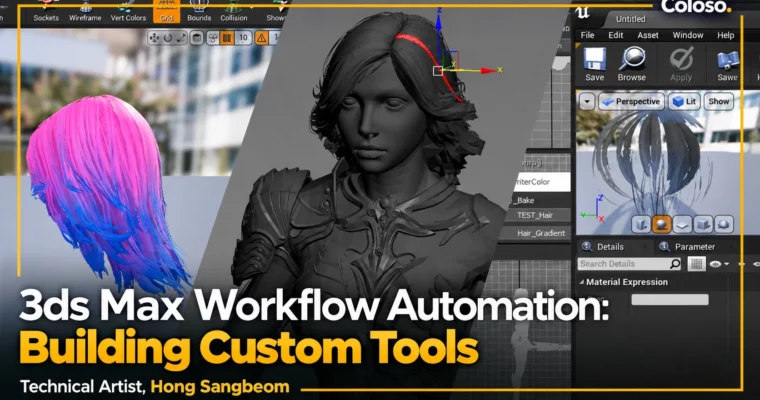
3ds Max Workflow Automation – Building Custom Tools by Hong Sangbeom, Hongsangbeom
Duration:15 videos, 8 hours 7 minutes
Actual Duration:16h 13m
Release date:2022
Publisher:Coloso
Skill level:Intermediate
Language:English
Exercise files:Yes
Software:3ds Max 2022 (2019+ compatible), Unreal Engine 4 (auxiliary, optional)
Course URL:https://coloso.co.kr/products/technicalartist-hongsangbeom
Automate your 3ds Max work with Technical Artist Hongsangbeom — 14-year veteran, former Autodesk Korea Technical Specialist for 3ds Max, now Lead Technical Artist at Tencent. Across 15 lessons in 4 sections (8h 7m) you go from Maxscript Listener and rollout UI to 7 finished production tools: distance calculator, Mesh tool, UV control, Pivot control, Vertex Color control, Sequence Texture alignment and FBX import/export automation. No coding background needed — every programming concept (variables, arrays, if, for, functions, try, case of) is learned hands-on while building a real tool.
“I will cut the time spent on boring concept rundowns and unnecessary examples, and teach you to pick up programming principles naturally through hands-on practice so you finish with a working result fast.” — Hongsangbeom
🎯 What you’ll learn
- Navigate the TA role and the Max Script ecosystem — Maxscript Listener, Maxscript Editor, Visual Maxscript Editor, Python and MCG
- Build rollout UI from scratch — common controls, layout, alignment and wiring simple events
- Program hands-on — variables, arrays, if statements, arithmetic, for loops, functions, then~else, try, case of, min/max
- Control geometry — object positions, Vertex/Edge/Face positions, time-based commands, Edit Poly, normals for Bone/Point creation
- Control UVs — unwrap_uvw commands, UV manipulation, MessageBox integration
- Control Vertex Color automatically with UI Accessor functions
- Drive Sequence Textures — file reading, Edit Poly, materials, cameras and rendering control (with Unreal as auxiliary tool)
- Automate FBX pipelines — Max/FBX/Bip file search, fast multi-file opening, batch editing, import/export from inside 3ds Max, launching external programs
✅ Requirements
- Skills: Basic-Intermediate (site lists Basic-Intermediate; class info block says Introductory/Beginner) — no programming background needed; each concept is learned by building a tool
- Tools: 3ds Max 2022 recommended (2019+ works fine, install separately — not provided); Unreal 4 as auxiliary tool only, class can be completed without it
- Languages: Audio KO + EN dub; subtitles EN; 15 videos, 8 hours 7 minutes total (~30 min per episode); lifetime viewing; lecture materials included
- Extras with class: 5 sample example files + 7 finished Max Scripts + 9 lecture PPTs
📝 Description
Repetitive 3ds Max work eats your day. This class fixes that by teaching you to build your own tools — seven of them, each one usable in real production the moment you finish it. Hongsangbeom skips dry theory: you learn variables while building a distance calculator, loops while building a Mesh tool, functions while building UV controls, and finish with a full FBX import/export pipeline tool.
The 7 tools cover the work artists actually repeat: measuring distances between objects and components, batch mesh operations, UV control, pivot control with normal-based Bone/Point generation, automatic Vertex Color workflows, Sequence Texture alignment (geometry, materials, cameras, rendering), and batch FBX/Bip search, open, edit and export — including launching external programs from inside Max.
KR title (translated): 7 Tool Recipes to Automate Your 3ds Max Work (Hongsangbeom’s 3ds Max workflow automation tool-building class). No EN edition exists — global search for Hongsangbeom/Sangbeom/MaxScript/TechnicalArtist returned no matching coloso.global/en/products/... page, so this card uses the KR URL as canonical. No YouTube class intro found on the page (preview is a site-hosted cover mp4 only), so video_preview is null.
Card built from browser-rendered manufacturer page — KR https://coloso.co.kr/products/technicalartist-hongsangbeom (template A/fc-layout-214, HTML 881617 bytes, 4 sections / 15 lessons; counts verified against rendered DOM positions and embedded course JSON clipCount 15 / runningTime 487).
🧑🎓 Who this course is for
- Aspiring TAs who want to build any feature they need inside 3ds Max
- Artists who know nothing about Max Script or programming and want a hands-on entry point
- Coders who know syntax but struggle to apply it to real production work
- Working artists who want to build an efficient, automated task pipeline
🧑🏫 About the Author
Hongsangbeom is a 14-year Technical Artist, currently Lead Technical Artist at Tencent (Timi–Z1 Studio, Zplan project). Former: Autodesk Korea — Technical Specialist for 3ds Max and Autodesk M&E Collection; Nexon (Thingsoft, Dungeon & Fighter follow-up) — TA; NCSOFT (Blade & Soul) — FX Artist; Smilegate (CrossFire follow-up) — TA/FX Artist; Daewonmedia (Gon animation) — Lead FX Artist; Samg Animation — FX Artist. Conference/speaker: Autodesk Seminar, Unreal Summit 2018, NDC18, IGC 2018, NDC16, IGC 2016; lectures at NCSOFT, Com2us, NatGames, Tencent and Baekseok University; 2019 Best New Talent Award (Tencent). Teaching thesis: skip boring concept drills — learn programming principles naturally through practice and finish with tools you can use at work immediately.
🏁 Final Result
- 7 finished Max Script tools: distance calculator, Mesh tool, UV control, Pivot control, Vertex Color control, Sequence Texture alignment, FBX import/export automation
- Working Max Script programming foundation — UI rollouts, variables, arrays, conditions, loops, functions, error handling — learned by building, not memorizing
- Efficient 3ds Max task pipeline plus class perks (5 sample files, 7 scripts, 9 PPTs) reusable on your next project
📢 Guys, this is a Group Buy campaign, check the GBC forum thread to get access
You can find the course preview in the download section below.
 Channel