


01 Professional compositing techniques (EN) [Gumroad, Aitor Echeveste, Group-Buy]

Release date:2024, November 6
Skill level:Beginner
Language:English
Exercise files:Yes
Course URL:https://aitorecheveste.gumroad.com/l/pct01
Matte Painting
In this module, you’ll learn to create stunning digital matte paintings. We’ll cover the careful selection of visual references to maintain consistency, focusing on lighting and color uniformity. You’ll explore techniques for layering to add depth and detail to your scenes and methods for seamlessly integrating elements. Using Nuke, we’ll add subtle movements to environment components, bringing your creations to life. You’ll also become familiar with tools in Nuke that streamline integration and learn resourceful ways to reuse assets, optimizing your workflow for future projects.
Shot 01
This module introduces the project and outlines the workflow. You’ll learn techniques to correct errors and refine details, utilizing Nuke to integrate digital and real elements with precision. We’ll use matte painting to craft realistic environments and address challenges like outdoor wind effects. You’ll learn to create digital trees and enhance them with stock elements like leaves. Additionally, we’ll focus on optimizing your VFX workflow for flexibility, enabling efficient adjustments and improved adaptability in complex projects.
Shot 02
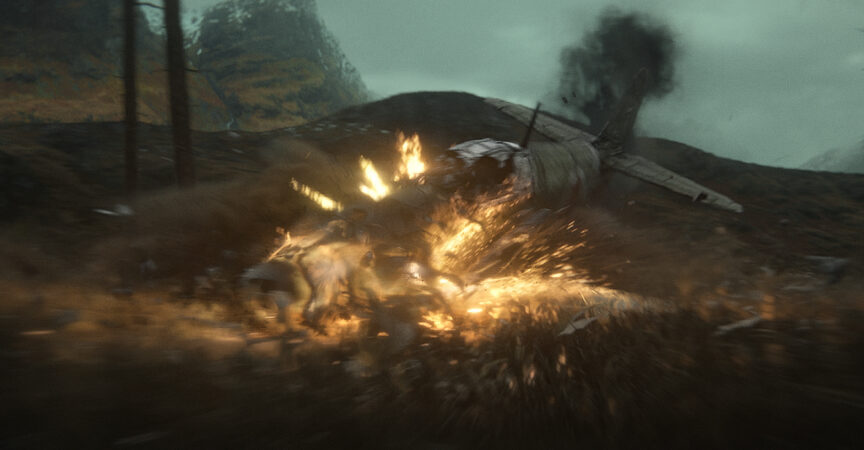
Here, we’ll tackle a more complex scene within our sequence. Starting with chroma key challenges and color compression, you’ll integrate effects like bullet impacts and interactive lights for a dynamic plane sequence. We’ll dive into look development for character shots, adding smoke, dirt explosions, and volumetric effects to breathe life into your scenes. This module ensures a comprehensive approach to creating captivating, high-quality shots.
Shot 03
In this module, you’ll learn to create fully computer-generated (Full CG) shots with top-tier quality. We’ll enhance close-up textures using matte painting techniques and seamlessly integrate CGI with real environments. You’ll master balancing and creating new elements directly in Nuke, leveraging Deep Compositing for intricate atmospheric effects. Additional lessons include advanced color adjustments to enhance realism and incorporating sparks, fire, and other dynamic elements. The emphasis will be on maintaining visual consistency across your project for a cohesive narrative.
 Channel




hi, can we group buy Blender/Nuke Workshop by CompositingAcademy?
Please bring back them courses. Barely any posts here anymore 💔
Need is course (Weapons Using Blender & Substance Painter). https://fasttracktutorials.com/tutorial_single/1910
Can you upload Stylized Dynamic Sky from “So Stylized” on unreal engine markeplace?
Hi, I want to share CGMA course, but I don’t know how. dm pls
Hey Strawberry! Why is it whenever I fast-forward or rewind a video it automatically makes me begin from the beginning? Is there a way to fix that?
hello, I’m not sure if you guys are still adding non group buy courses to the site but I was looking at your watts atelier courses and noticed these 3 were missing and was wondering if anyone could add them(particularly the environment course) :
https://www.wattsatelier.com/shop/creating-environments/
https://www.wattsatelier.com/shop/mastering-quicksketch/
https://www.wattsatelier.com/shop/sketchbooking/
hello, could you please upload this course and it’s second part if possible?
https://www.stanwinstonschool.com/tutorials/how-to-sculpt-a-creature-maquette-sculpting-techniques-part-1
Please upload this course: https://coloso.global/en/products/motiongraphic_shinhaewon-us
Thank you very much 😍
Can you please upload the Character Animation Launchpad (the updated version for Limber 2)?
https://www.keyframeacademy.com/character-animation-launchpad/?utm_source=description&utm_medium=trailer&utm_id=youtube
Can you please upload the Character Animation Launchpad course (the newest version for Limber 2)?
https://www.keyframeacademy.com/character-animation-launchpad/?utm_source=description&utm_medium=trailer&utm_id=youtube