Create Mixed Reality ArchViz in Unreal Engine for Meta Quest by Walhar Gohar

Duration:2 hours on-demand video
Actual Duration:1h 49m
Release date:2025, September
Publisher:Udemy
Skill level:Intermediate
Language:English
Exercise files:Yes
Software:Unreal Engine 5, 3DS Max, Meta Quest
Course URL:https://www.udemy.com/course/mixedreality-unreal-walhar/?couponCode=KEEPLEARNING
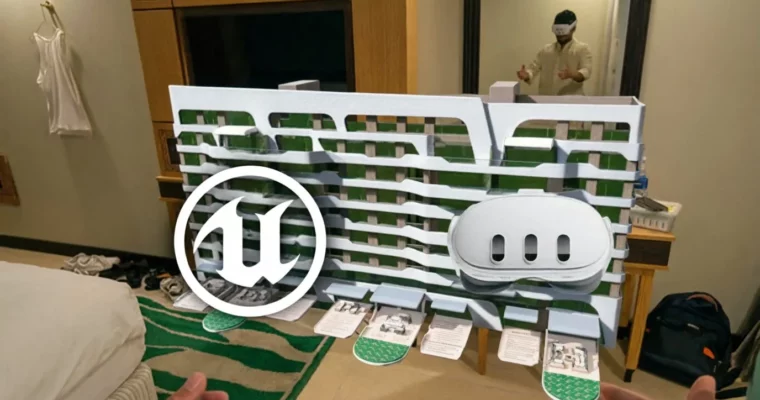
Ready to ditch flat screens and step inside your architectural designs? This course shows you how to build mind-blowing mixed reality (MR) experiences for the Meta Quest, letting users walk through your virtual buildings right in their own homes. Forget static renders; it’s time for interactive walkthroughs that truly impress.
🎯 What you’ll learn
- Set up a complete Unreal Engine 5.5.4 development environment for Meta Quest and Android.
- Export and import architectural scenes from 3DS Max into Unreal, setting up blueprints and baked lighting.
- Create a custom hand-held UI widget using the Meta XR Interaction SDK.
- Package and deploy a functional architectural mixed reality experience to Meta Quest devices.
✅ Requirements
- Skills: Very basic understanding of Unreal Engine’s navigation (not compulsory).
- Tools: 3DS Max (or Sketchup) Installed on your PC along with Corona or Vray, Type C Link Cable.
- Hardware: At least a 6 GB VRAM GPU (Nvidia preferred), A Meta Quest 3 or 3S Headset.
📝 Description
Ever dreamed of creating architectural visualizations that leap off the screen? This course is your ticket to building stunning mixed reality (MR) experiences for the Meta Quest. You’ll learn to seamlessly blend your digital architectural models with the real world, moving beyond static renders and passive videos to let users actually walk through their designs in their own space.
We cut straight to the good stuff, using the powerful Meta XR Interaction SDK and the Oculus Samples project to speed up development. You’ll master setting up your Unreal Engine project for MR, importing architectural models for peak performance, and integrating real-world passthrough so users can see their surroundings merged with your virtual creations. Plus, you’ll add interactive elements like custom UI widgets and easy object manipulation, then build and deploy your MR experience straight to a Meta Quest headset. By the end, you’ll have a solid grasp of the full MR development pipeline in Unreal Engine 5 and a project ready to show off your new skills. Get set to turn your architectural visions into truly magical, interactive experiences!
🧑🎓 Who this course is for:
- Architects, designers, and 3D artists looking to break into the booming mixed reality field.
- Professionals and students with a basic grasp of DCC software like 3DS Max or SketchUp who want to create immersive Meta Quest experiences.
🧑🏫 About the Author
Walhar Gohar is a Technical Artist with over five years of experience focused on Virtual Reality (VR) development. He’s worked with international clients, optimizing their VR projects using Unreal Engine and 3DS Max. Walhar is passionate about building immersive VR environments and sharing his knowledge to help others master the skills needed to bring 3D designs to life in the virtual world, making VR more accessible and enjoyable.
🏁 Final Result
- A portfolio-ready mixed reality architectural visualization project deployable to Meta Quest devices.
 Channel